Discovering Linux: A Distro Exploration and Sharing Experience
- Noor Adn
- 09 Feb, 2024

Hello there 👋, let me share about my journey in the Linux world. The first time was in about 2015 when I was still in school. Then, from time to time, new things are discovered. I also gained valuable knowledge and hands-on experiences on the live server when being a cohort (student) and mentor at Bangkit Academy. Until now, I have used Linux as a partner for my tasks.
Various Linux distros I have tried, starting from Ubuntu, Kubuntu, Xubuntu, Lubuntu, Ubuntu Kylin, Fedora (Workstation, Silverblue & Kinoite), Nobara, openSUSE, Manjaro Linux, MX, KDE Neon, AlmaLinux, Rocky Linux, elementaryOS, popOS, Deepin, EndeavorOS, Zorin, Garuda, LinuxFX, FerenOS, Solus, Kali, etc. They all have advantages and disadvantages and have different use cases 🔥.
Some are aggressive in context that they get the latest and fastest updates but are prone to crashes (bugs), some update very rarely, and even the software is still in an old-school version, as long as it is stable and usable for years. Some are immutable, meaning you can’t change the core system. The changeable thing is the external software. It’s suitable for use cases that require extra security 🔐.
Some are targeted for desktop use (there is a display and clickable), and there are also those intended for servers, in which there is no display (GUI), but it uses a command line terminal (CLI), as long as it is light & full performance, cutting out unnecessary things from the purpose uses 💻.
Press enter or click to view image in full size
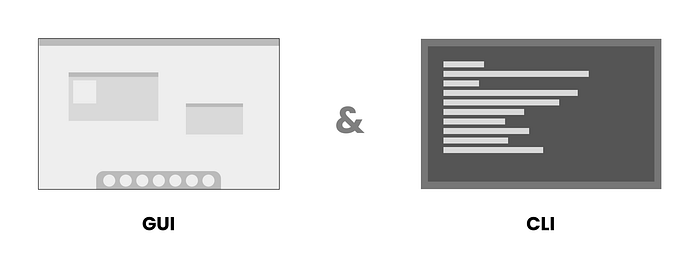
GUI and CLI
The GUI models are also different. In Linux, there is something called a Desktop Environment (DE), like a User Experience set when using the display. They are GNOME, KDE, XFCE, LXDE, MATE, DDE, Cinnamon, Budgie, Pantheon, etc. Some of them have a default display similar to macOS, and the others one similar to Windows. They are all unique 🌈.
Press enter or click to view image in full size
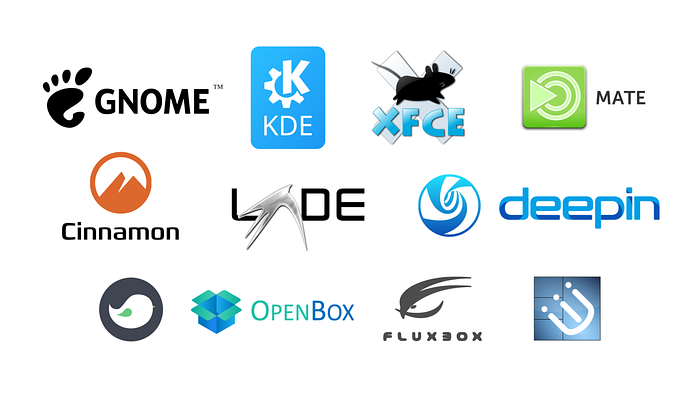
Various Linux Desktop Environments (DE) Logo/Icons
Some are aimed for corporate purposes, such as RHEL (Red Hat Enterprise Linux) and SLES (SUSE Linux Enterprise Server). There are also those developed purely by communities such as Debian and Arch Linux. There is hybrid support from the community and corporate such as Ubuntu (Canonical) and Fedora (RedHat) 💪.
There are various other use cases, for example, for penetration testing (system security testing experiments) such as Kali, gaming, SteamOS, robots, and IoT such as Raspberry Pi, and many more. Even Android (by Google), which that used on most smartphones, also uses a modified Linux kernel 🔰.
After some period exploring the world of Linux, I finally decided to choose the Debian distro as my daily OS driver for now, alongside Windows. The reason is stable, uses the original DE (I use GNOME), supports many packages, updates are fast and more mature, and the documentation is quite complete. For the others, tweak it and customize it in such a way 🛠.
Press enter or click to view image in full size
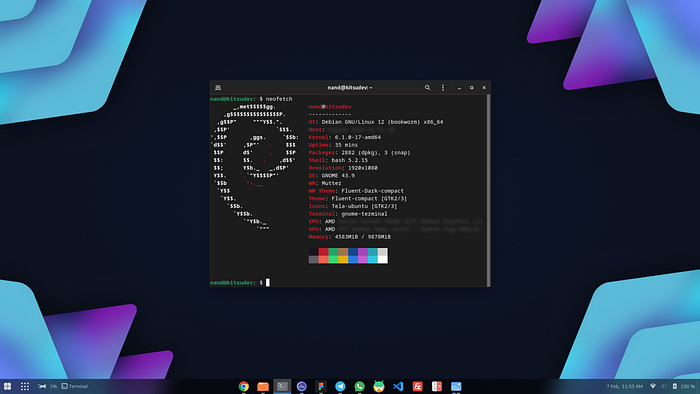
Desktop Screenshot of Debian Linux (GNOME) + Tweaks
Debian is often the parent of other distro derivatives such as Ubuntu, SteamOS, and MX Linux. It is also typically used in server environments because of its stability. I’ve been using Fedora Workstation for several months because I love using pure GNOME and getting the latest updates. It’s in the RedHat environment, which uses the RPM package. However it doesn’t support the DEB package, and the update downloads are relatively slower (POV at my local ISP) 🌐.
Microsoft Windows also carries the WSL (Windows Subsystem for Linux) feature, where the Windows system can run Linux seamlessly and integrate directly from the host OS through virtualization technology. It’s useful when I need to do operations that only support Linux environments, or just want to run or test the isolated apps. It also supports GUI 🌅!
Press enter or click to view image in full size
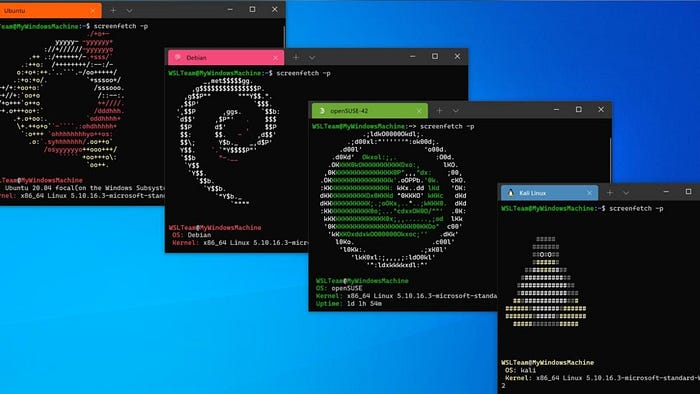
Image source: PCMag.com (“Windows Subsystem for Linux Heads to the Microsoft Store”)
Discussing virtualization, in a Linux environment, there is something called KVM (Kernel Virtual Machine), where a running virtual machine can directly access the kernel (core) of the system. It’s possible to run the Android system. One of which is Waydroid (which supports Google Play), which utilizes the KVM because it uses the Linux kernel. So the performance is better and more efficient ⚡.
Press enter or click to view image in full size
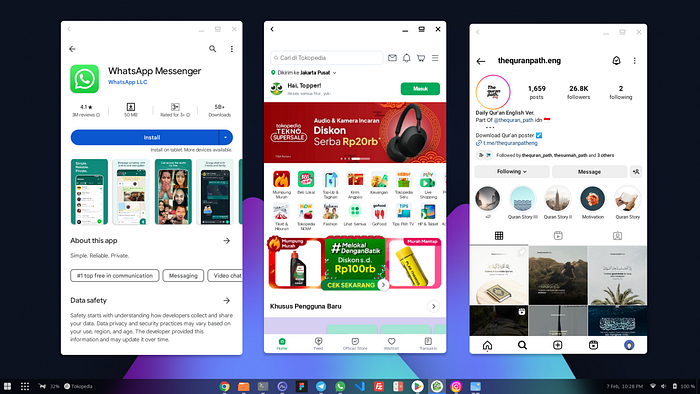
Using Waydroid to open three apps simultaneously in windowed mode.
Apart from virtualization, there is also something called containerization. A kind of technology to run applications in isolation without the need to warm up a new VM. Among the well-known ones are Docker and Podman (Red Hat). Popular containerized application managers include Kubernetes (Google) and Openshift (RedHat). From here comes the term microservices, a shift from monoliths 🌟.
There is a tool for running any distribution of Linux inside a Linux ho without setting up a VM. The tool is Distrobox. It utilizes containerization technology that is tightly integrated into the host. It allows to share the /Home directory, external peripherals, etc. For example, If we use Debian as the host OS, then we can run Ubuntu, Almalinux, Fedora OS, Arch Linux, or others, and install each app from isolated workspaces. It also supports GUI apps! 🌌.
Press enter or click to view image in full size
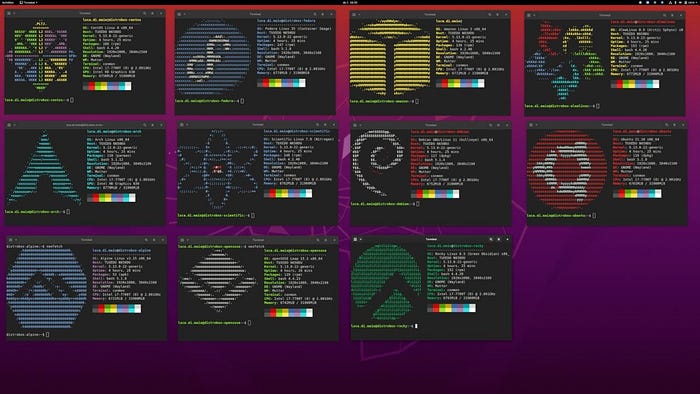
Distrobox Screenshot — github.com/89luca89/distrobox
Some distros are built by Karya Anak Bangsa (The Indonesian People). For example, BlankOn Linux, Tealinux, GarudaLinux, Langitketujuh OS, Desa OS, Xenta OS, dracOs Linux, Grombyang OS, etc. Some have meanings behind their names. For example, BlankOn Linux which is similar to the word “blangkon” (Javanese headgear), and Langitketujuh OS which is inspired by the historic journey of the Isra’ and Mi’raj of the Prophet Muhammad ﷺ towards the seventh skies 🚀.
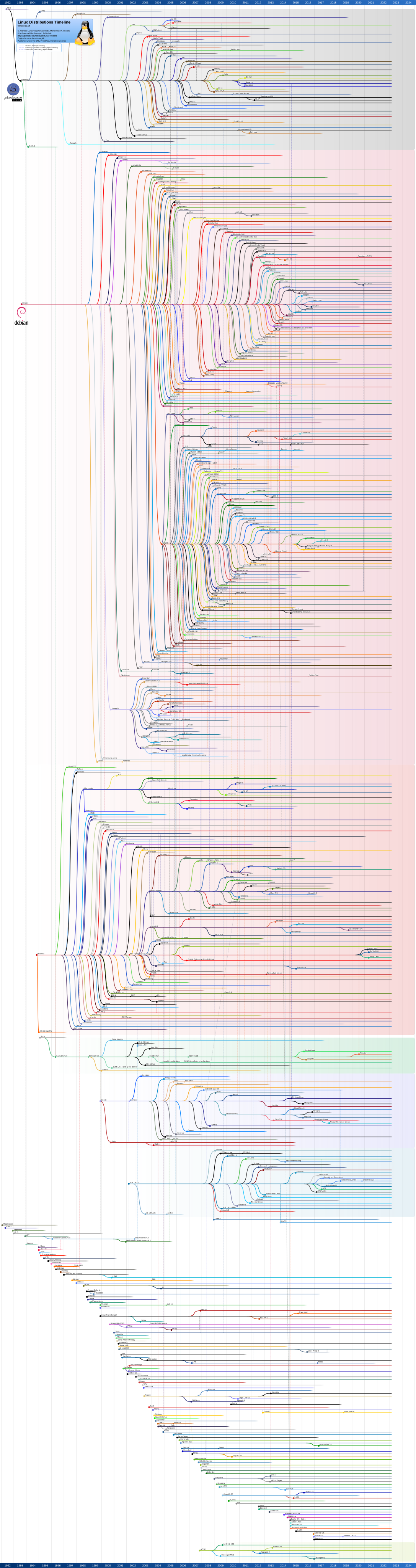
For those who want to explore various distros and their derivatives, the form of a graph tree and information on the year of release is available on Wikipedia. https://upload.wikimedia.org/wikipedia/commons/1/1b/Linux_Distribution_Timeline.svg
Press enter or click to view image in full size
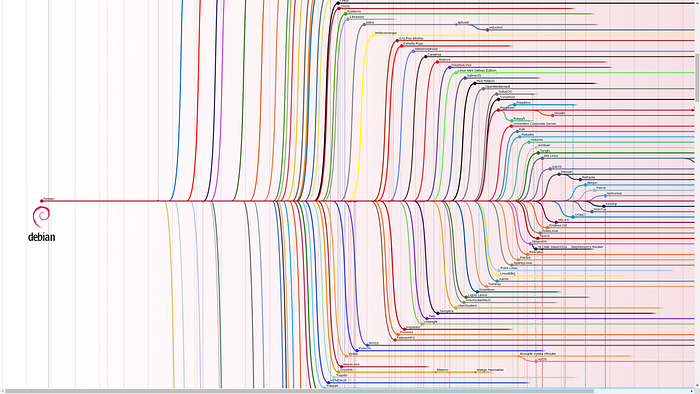
Debian Linux Derivatives Tree — Wikimedia.org
#CMIIW. Feel free to discuss.
I hope it will be useful.
Barakallahu fiik, and thank you!